
BrightPay provides a web-based portal where employees can browse and download their history of payslips and other payroll documents, view their payroll calendar, including annual leave, sick leave and parenting leave, and view their personal details.
If your employees will be availing of the employee self-service facility, you can select when you would like finalised payslips to be made available to them.
Payslip and Document Availability
1) Within your BrightPay organisation, open the employer you require and go to > Employer > Employee Portal > Settings.
2) Under 'Document Availability', select when you would like finalised payslips to be made available to the employees and click ‘Save’ on completion.
The options you have are
Finalised
As soon as the payroll is finalised
On / before / after the pay date
- On the pay date
- Day(s) before the pay date – enter number of days
- Day(s) after the pay date – enter number of days
By weekday
- On a specific weekday (e.g. “On Monday”, “On Friday”)
- The [weekday] on/before the pay date
- The [weekday] after the pay date
By calendar day of month
- On a specific day of the month (e.g. “On the 1st of the month”)
- On the first weekday of the month
- On the last weekday of the month
Calendar
The employer can enable the calendar and annual leave details for employees to view in the Employee Self Service Portal.
1) Within your BrightPay organisation, open the employer you require and go to > Employer > Employee Portal > Settings.
2) Under 'Options', select or deselect if you wish to have the calendar and annual leave details visible or hidden from employees on the Employee Self Service Portal and click ‘Save’ on completion.
If you manage leave outside of BrightPay it is recommended that you disable the calendar function in self-service.
If the calendar is enabled for the Employee Self Service Portal, an employer can allow an employee to view other employees on leave.
Employees will not see the type of leave the other employees are on but just that they are on leave.
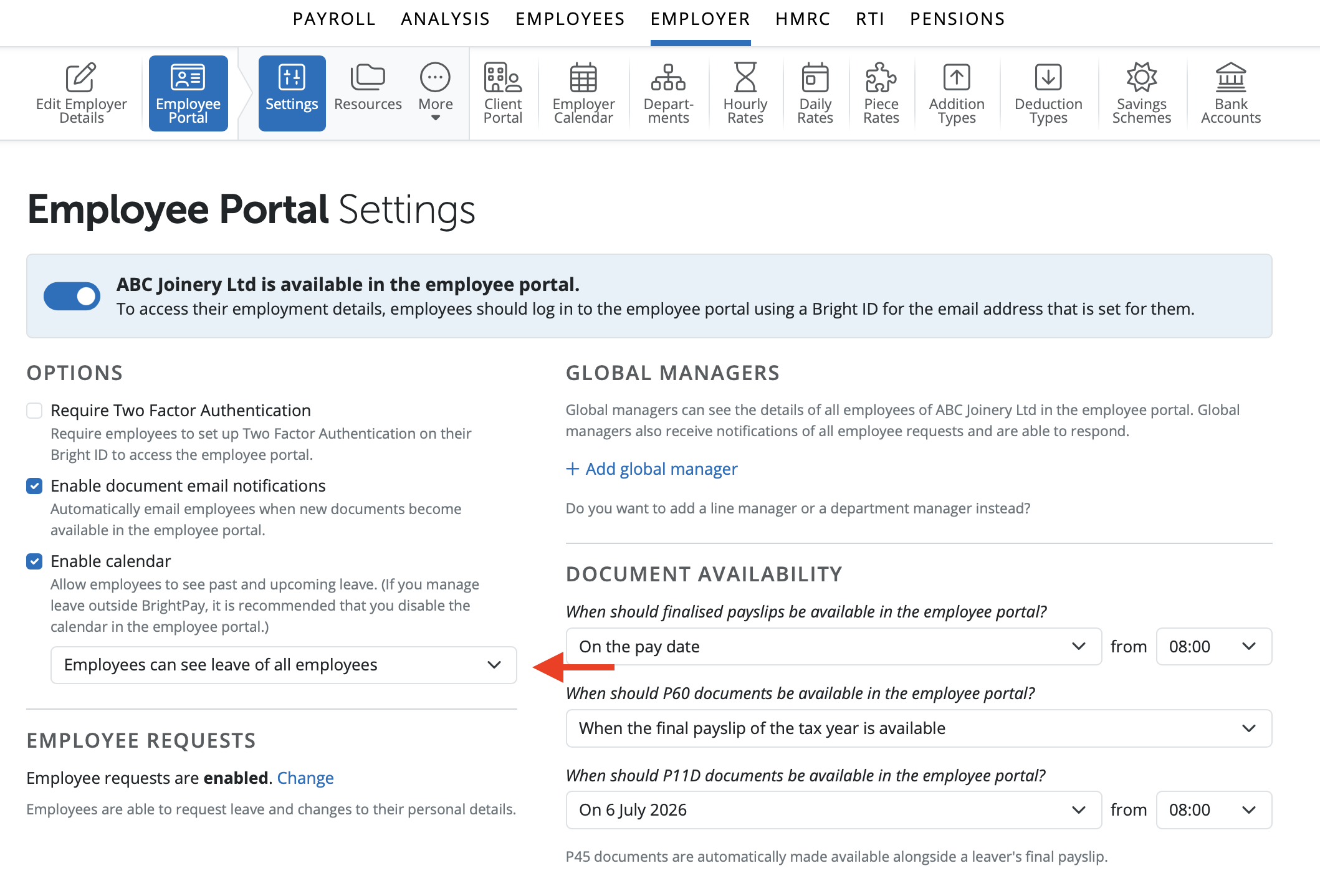
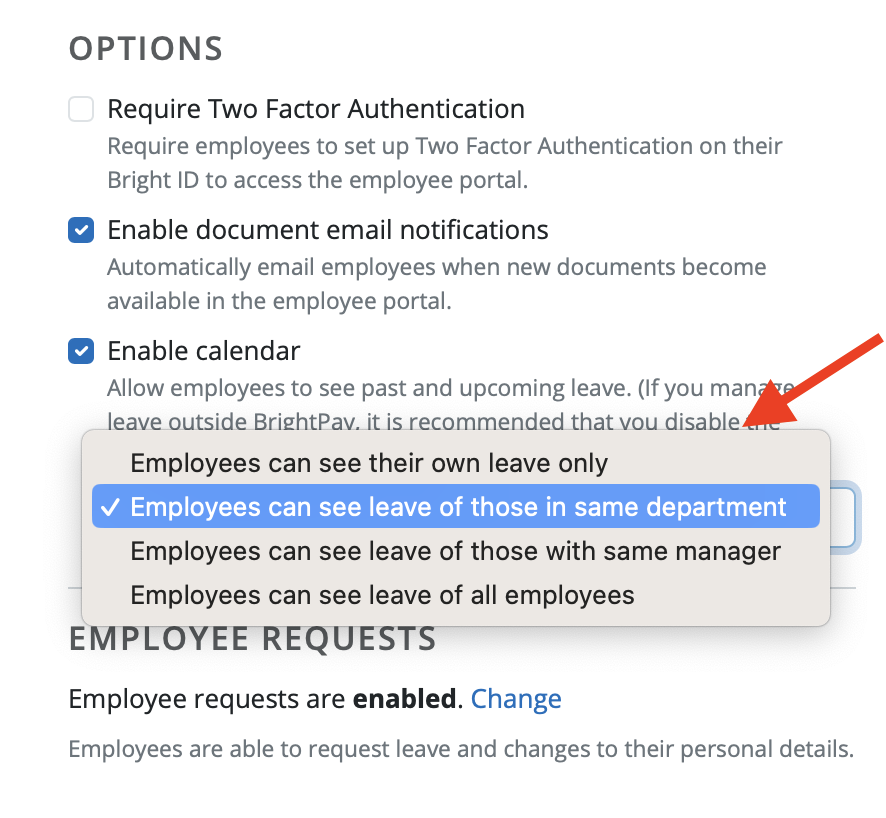
In the drop-down menu you can select for employees to view only their own leave, leave of employees in the same department, leave of employees with the same manager or leave of all other employees.
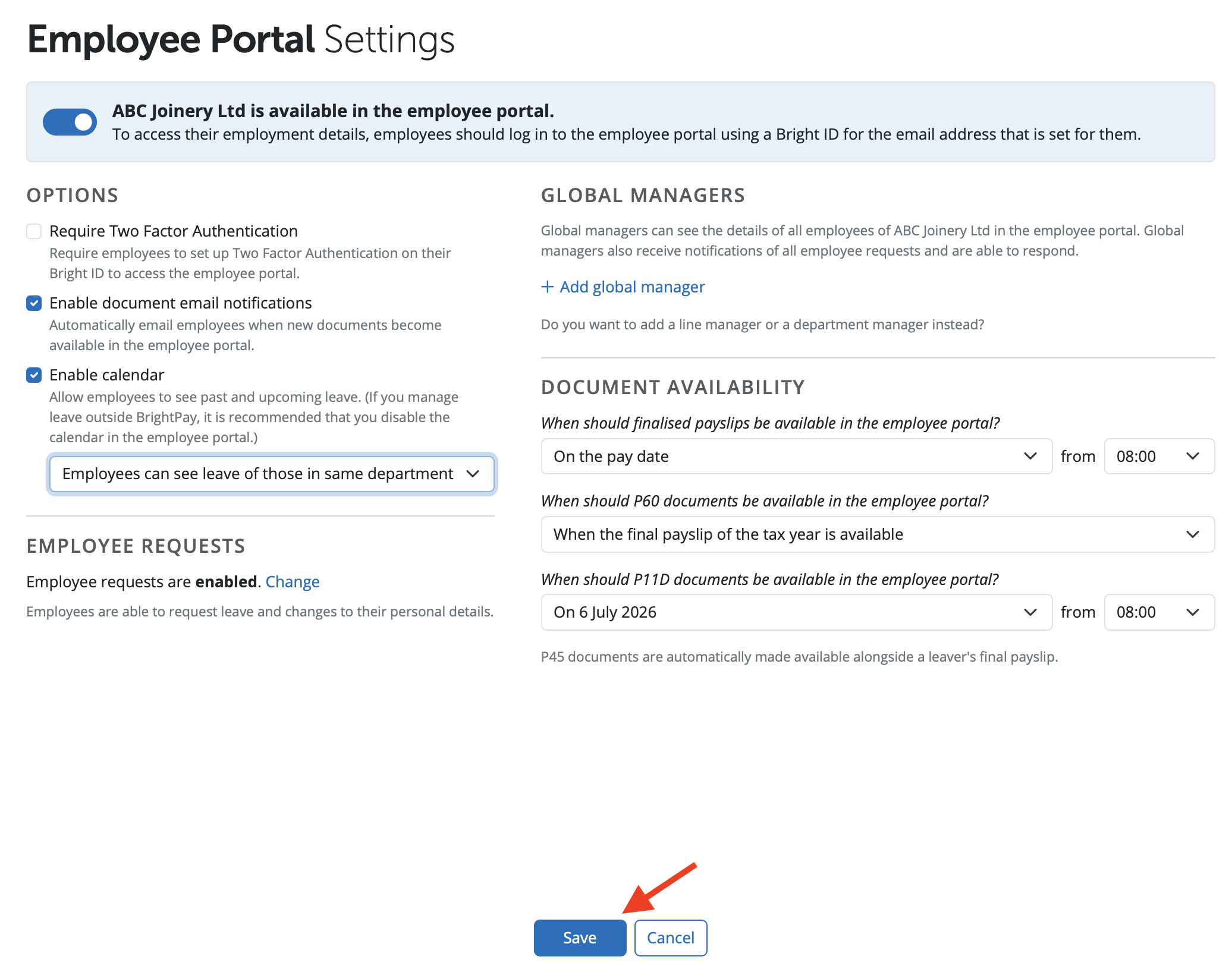
Select the option you wish for the employees to view on the Employee Self Service and select 'Save'.
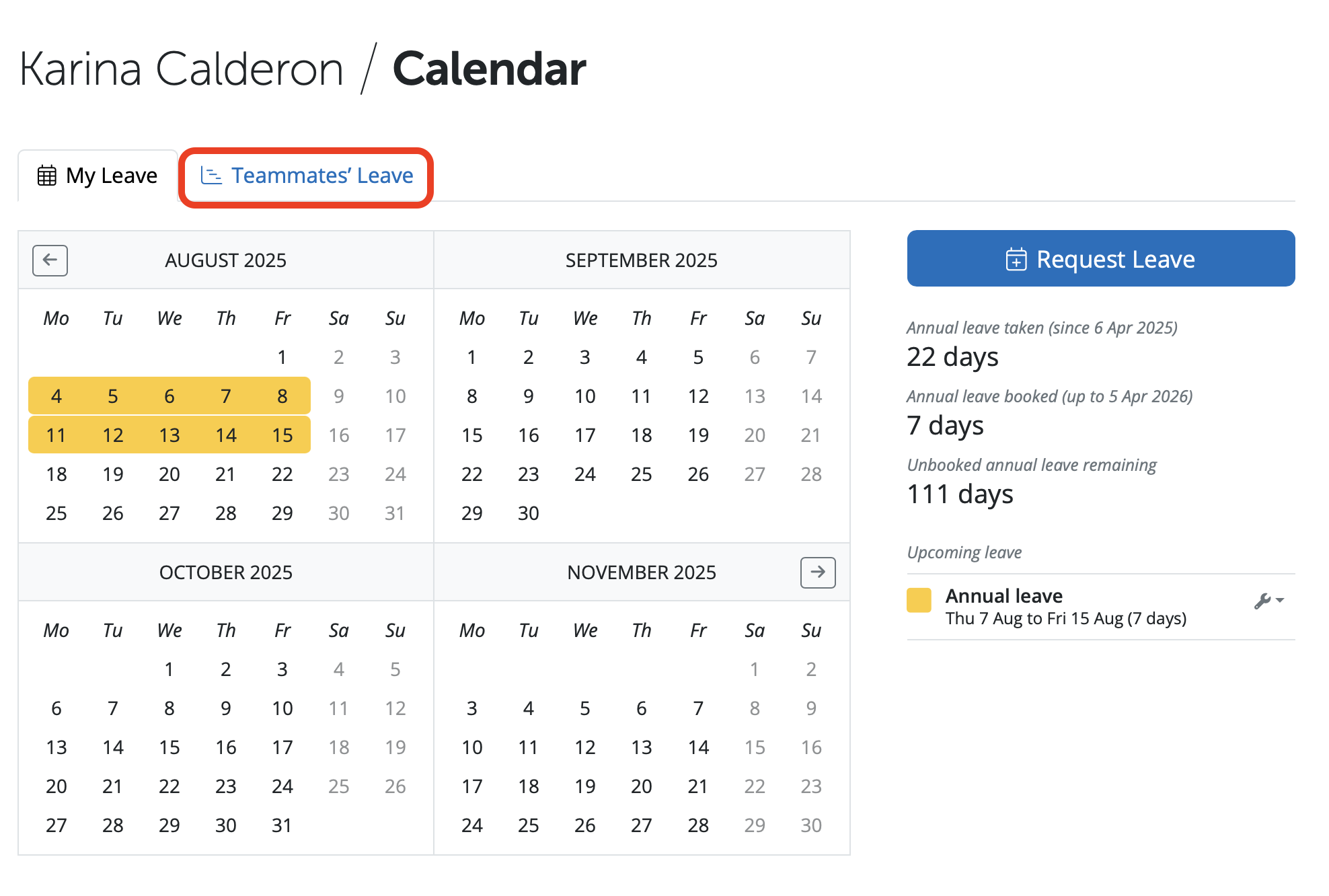
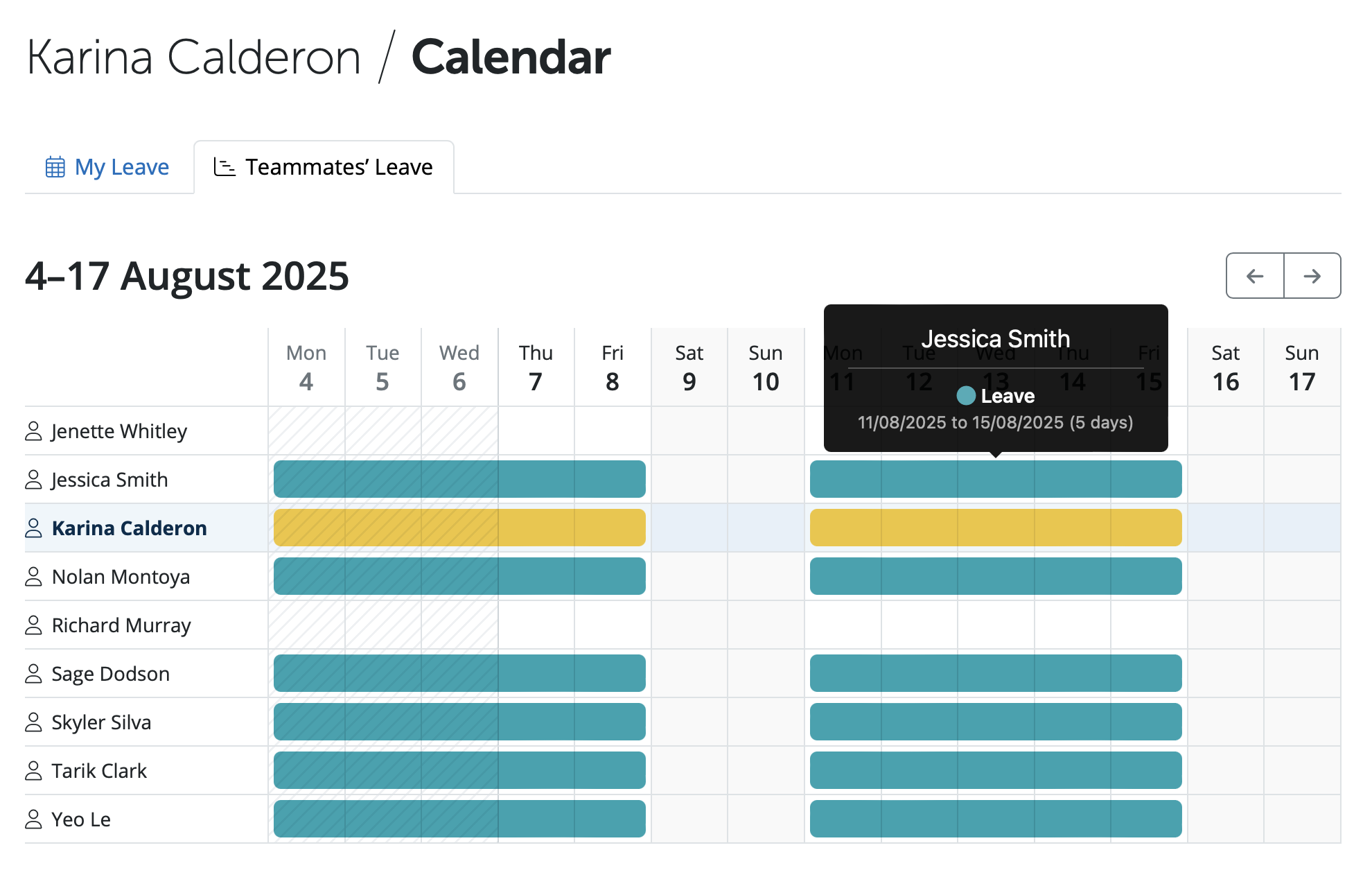
If the option is selected for employees to view any other employees on leave, on the Employee Self Service Portal when the employee goes into the 'Calendar' section, they will see a new tab called 'Teammates' Leave'.
If an employee selects the 'Teammates' Leave' tab the employee can view other employees and if they are on leave. If an employee hovers over a date another employee is on leave it shows only that the employee is on leave and for the length of time. If the employee wishes to view other dates they can use the arrow icons to go back and forth on the calendar.
Please note: The employee self service portal is included in the price of BrightPay Cloud. There is no additional cost for employees to have access to the portal.
The default payslip availability setting in BrightPay Cloud is 'as soon as payslips have been finalised'. If payslips are available or email notifications have been sent as soon as payslips have been finalised and this was not intended - check the documentation availability settings in the Employer section > Employee Portal. These settings can be adjusted as required.
If you wish to have HR personnel or another employee to review and approve annual leave requests, you can add them as a manager. Managers can be added as 'Global Manager' - approve everyone on the payroll; 'Department Manager' - approve leave for specific department(s); or 'Individual Manager' - approve leave for certain employee(s) only.
Comments
0 comments
Article is closed for comments.