
What's new?
Our new app is all about making your payroll and HR tasks smoother and more efficient than ever before. Here's a glimpse of what you and your employees can expect:
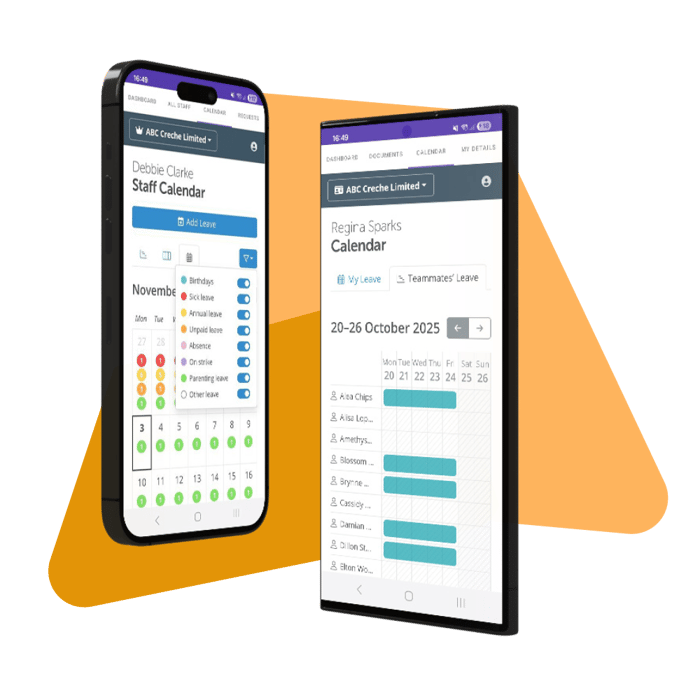
Payroll In Your Pocket
Effortlessly access payslips, P60s, and other payroll documents on the go.
Streamlined Leave Management
Employees can request leave and managers can approve it directly from the app, with full visibility of the team calendar.
Keep Employee Details Up To Date
Allow employees to request updates to their personal information, ensuring your records are always accurate.
Download on Android click here
Download on iOS click here
Please note: The app is for employees and managers only. Users / Superusers set up as clients for an employer cannot use the app. They would need to log into a browser at the Client portal: https://client.brightpay.com
If the employee mobile app is asking for a PIN - this will be the PIN that is set up as the security number to access your device. Whatever the security method is set up on the device (fingerprint, PIN, etc), this is required to unlock the app. It is not something you will have set up in the portal or when creating a BrightID, it is the security that is on your phone / tablet.
Taking a screenshot whilst in the app might trigger the screen to lock. In this case, use the security method to open / unlock it - ie the phone's PIN, face recognition.
Comments
0 comments
Article is closed for comments.