
This utility allows Employers to set up default Savings Schemes that will be available for selection when processing each employee’s payslip.
1) To add a new Savings Scheme – select Savings Schemes on the menu toolbar, followed by New. Complete all required fields accordingly and click Save.
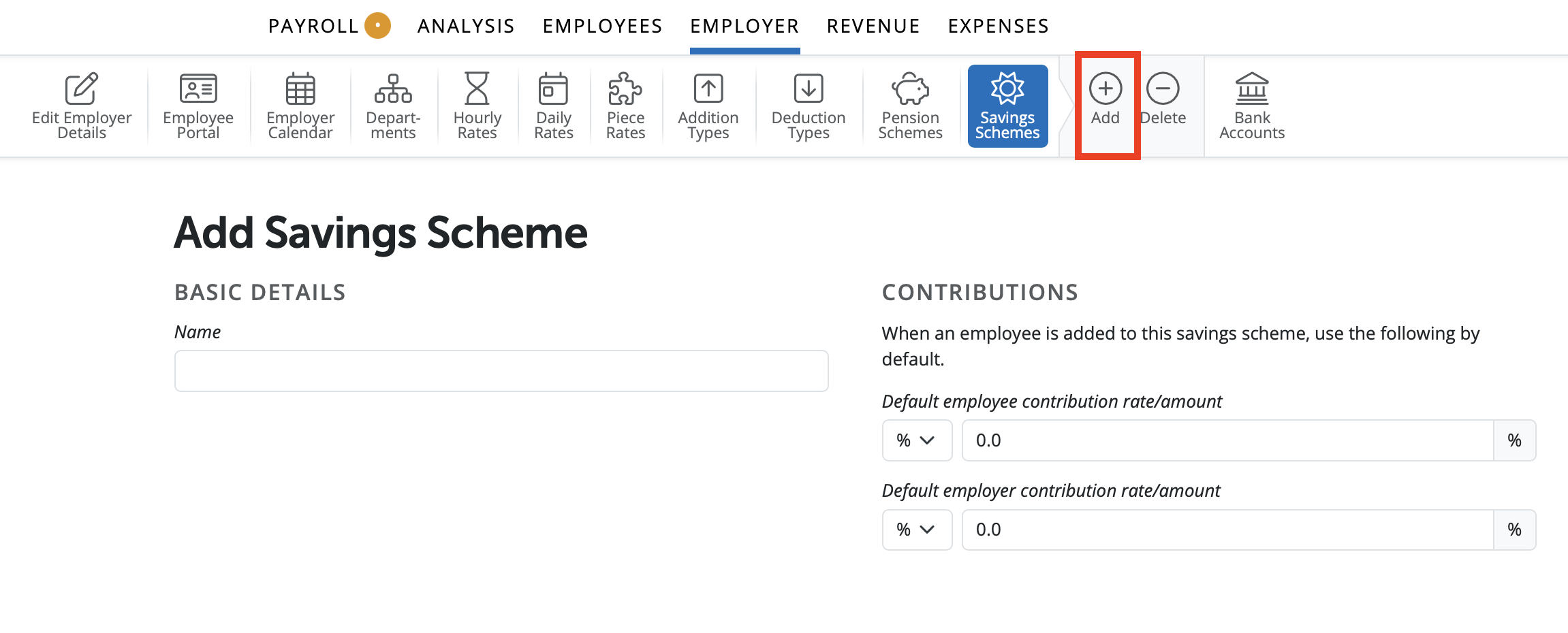
2) To view or edit a Savings Scheme – select Savings Schemes on the menu toolbar. Select the savings scheme from the listing and view/ amend accordingly. Click Save.
3) To delete a Savings Scheme – first select Savings Schemes on the menu toolbar. Select the savings scheme from the listing and click Delete on the menu toolbar. Click Yes to confirm you wish to delete the savings scheme.
4)The payslip does not have the option to display a running total for the savings scheme; it will only show details for each period’s deduction or withdrawal, as applicable.
However, if you’d like to see a summary or running total, you can create a custom report that includes your savings scheme details.
Please refer to our guidance on creating custom reports for step-by-step instructions here.
Comments
0 comments
Article is closed for comments.