
An employer-wide calendar is available in the Employer utility within BrightPay, which amalgamates all employee events along with other key payroll dates into a single view: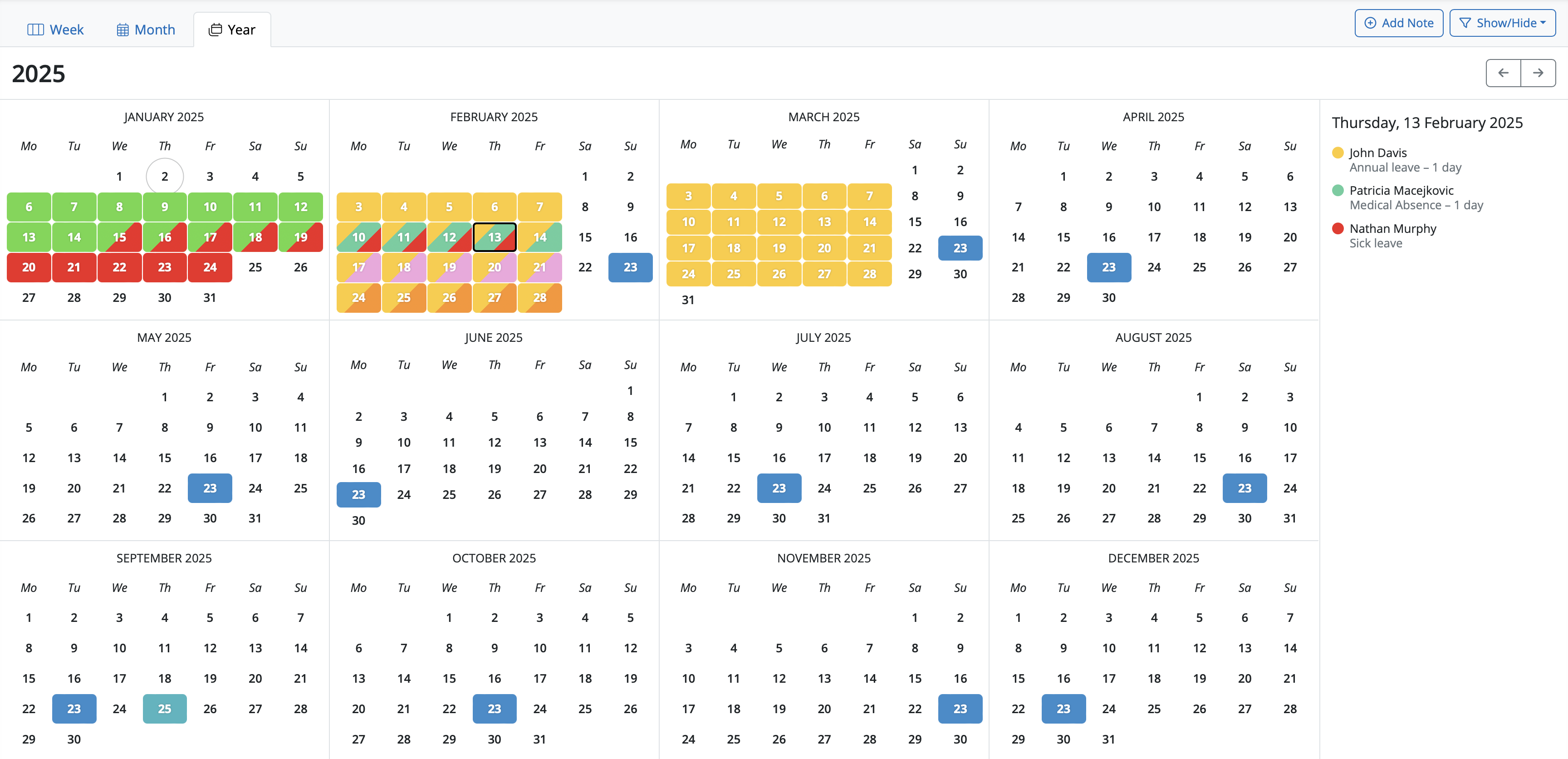
Key features:
- users can switch between Year, Month or Week view.
- shows combined events for all employees (i.e. those entered on the employee calendar, as well as birthdays)
- includes general tax year events and deadlines.
- ability to filter which kinds of events are displayed on calendar and in the day event list.
- ability to add/edit/delete your own notes.
Please note: it is not currently possible to hide leavers in the client or manager portal
Printing or exporting the employer calendar
It is not currently possible to print or export the employer calendar directly from BrightPay, and there is no integration available to sync the employer calendar with external calendar applications such as Microsoft Outlook, Google Calendar, or Apple Calendar. If you need to share calendar information with someone who does not have portal access, you would need to do so manually — for example, by taking a screenshot of the relevant calendar view.
The blue dot / marker on the employer calendar on the 23rd of each month, is for the PAYE bill reminder. 23rd of the month is when the PAYE bill is due for payment to Revenue for the previous tax month.
Comments
0 comments
Article is closed for comments.